

Imagine a hot afternoon in the Philippines. Your electric fan is running continuously, your refrigerator is keeping food cold, and your Wi-Fi router is powering your work or online classes.
Then suddenly, the electricity goes out.
The fan stops, your internet disconnects, and your phone battery is already running low. As the temperature rises, a simple power interruption can quickly become uncomfortable.
This is one reason why El Niño in the Philippines deserves attention, especially because official outlooks indicate that the current event may continue into 2027.
According to PAGASA's El Niño advisories, the agency's October 2026 updates describe an ongoing El Niño event and discuss the possibility that it may continue into the first half of 2027. Climate outlooks are forecasts, not guarantees, and may change as new observations become available. Check PAGASA's latest advisory for the current assessment.
However, El Niño does not automatically mean that the Philippines will experience widespread brownouts.
The connection is more indirect. Hotter weather can increase electricity demand, while generation outages, limited capacity, and transmission constraints can make the grid tighter during periods of high demand.
Understanding the situation can help households and businesses prepare for extreme heat and possible power interruptions.
What's on This Page
- What Is El Niño?
- What Could El Niño Mean for the Philippines?
- Can El Niño Increase the Risk of Brownouts?
- Which Areas Have Recently Experienced Tighter Power Conditions?
- Why Can a Brownout Be More Difficult During Extreme Heat?
- What Should You Keep Running During a Brownout?
- How Much Backup Power Do You Need?
- Can Solar Panels Help During a Brownout?
- How to Prepare for El Niño and Possible Brownouts
- Which Backup Power Solution Makes Sense for You?
- Frequently Asked Questions
- Conclusion
1. What Is El Niño?
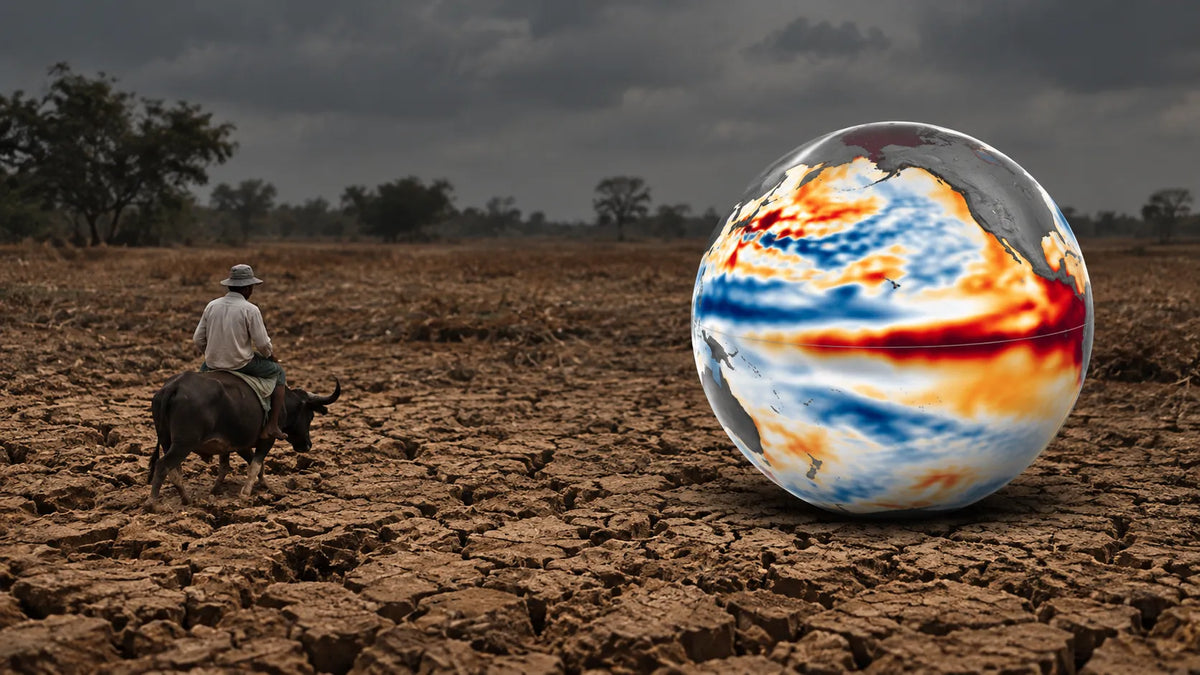
El Niño is the warm phase of the El Niño-Southern Oscillation (ENSO), a climate pattern associated with unusually warm sea surface temperatures in the central and eastern tropical Pacific.
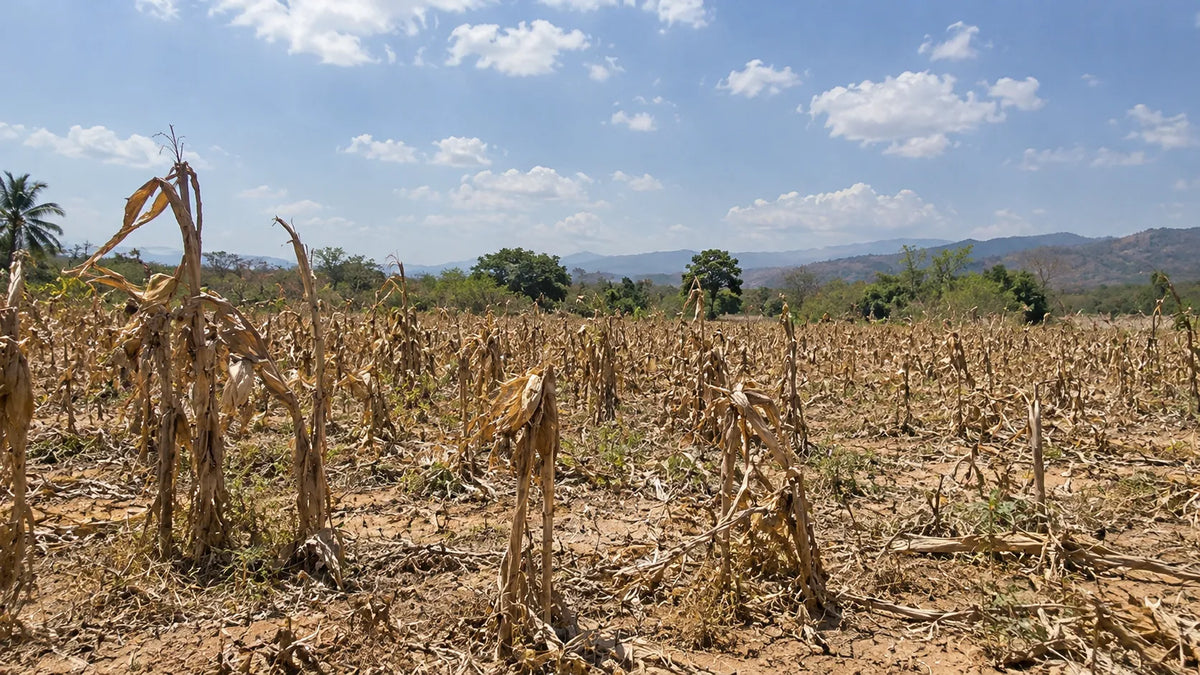
For the Philippines, El Niño generally increases the likelihood of below-normal rainfall, which can contribute to dry spells and drought in vulnerable areas.
El Niño does not mean that rain will completely disappear. Tropical cyclones, monsoons, and other weather systems can still bring localized rainfall during an El Niño event.
PAGASA's outlooks indicate that the event may persist into the first half of 2027. Because climate assessments can change, consult the latest official advisory rather than treating an earlier outlook as a fixed prediction.
2. What Could El Niño Mean for the Philippines?
El Niño's effects can extend beyond temperature and rainfall. Prolonged dry conditions can affect:
- Water resources
- Agriculture and food production
- Public health
- Energy production
- Household electricity use
- Daily routines
For households, warmer conditions may mean greater reliance on electric fans, air conditioners, refrigerators, and other appliances.
However, the actual effects vary by location and depend on rainfall patterns, local water resources, temperature, and other weather systems.
Preparing for El Niño therefore involves more than staying cool. It is also worth considering how your home, work equipment, communication devices, and essential appliances will operate if electricity becomes temporarily unavailable.
3. Can El Niño Increase the Risk of Brownouts?
El Niño itself does not directly cause a brownout.
The connection is more indirect.
Hotter weather can increase electricity use for cooling. Air conditioners and electric fans may operate for longer periods, while refrigerators and other appliances continue consuming electricity.
When electricity demand rises while available generation capacity is limited, the margin between supply and demand can become tighter.
The Philippine power system can experience periods of tight supply because of generating-unit outages, higher-than-expected demand, and transmission constraints. For current grid conditions, check announcements from the National Grid Corporation of the Philippines (NGCP) and the Department of Energy (DOE).
Grid alerts describe operating conditions at a particular time. They do not mean that every household in the affected grid will lose electricity, and they should not be used by themselves to predict future brownouts during El Niño.
The key point is that when available supply becomes tight relative to demand, the power system has less room to absorb unexpected problems. Actual service interruptions depend on the conditions at the time and actions taken by the relevant authorities and electricity providers.
4. Which Areas Have Recently Experienced Tighter Power Conditions?
There is no reliable basis for saying that a particular city is guaranteed to experience brownouts because of El Niño. A more useful approach is to look at areas that have recently experienced grid alerts, power-supply constraints, generation outages, or load-reduction measures.
Cebu and the Visayas
The Visayas experienced significant power-supply pressure during 2026. In September, the Department of Energy (DOE) reported rotational power outages and measures to stabilize the grid, including efforts to restore generating units, address transmission constraints, and prepare additional battery-storage capacity.
In its 7 September 2026 update, the DOE said it was working to restore generating units and address transmission constraints, while coordinating the deployment of 253 MW of battery-storage capacity across Cebu, Panay, Leyte, and Negros. The announcement described this capacity as being prepared or deployed; it should not be interpreted to mean that all 253 MW was already operational.
Read the DOE's September 2026 update on the Visayas power response.
These developments do not mean Cebu or another Visayas city is guaranteed to experience brownouts during El Niño. They show that the region has faced power-supply challenges, making preparedness a reasonable consideration.
Power conditions differ by grid and can change quickly. Residents in Leyte, Eastern Visayas, Mindanao, and other regions should check dated advisories from their local electricity provider, NGCP, and DOE instead of relying on a fixed list of supposedly “brownout-prone” cities.
A yellow alert does not automatically mean that consumers will experience a power interruption. It indicates that operating reserves are below the applicable required level for the grid at that time.
What Power Conditions Should You Watch?
Instead of assuming that a specific city will experience brownouts, monitor:
- Yellow or red grid alerts
- Generating-plant outages
- Transmission constraints
- Local utility load-reduction announcements
- Recurring power interruptions
- Advisories from distribution utilities and grid operators
5. Why Can a Brownout Be More Difficult During Extreme Heat?
A power interruption can be inconvenient at any time. During extreme heat, however, the consequences can become more noticeable.
Cooling
Electric fans and air conditioners depend on electricity. When the power goes out, maintaining a comfortable indoor temperature becomes more difficult.
Follow public-health guidance during very hot weather, including staying hydrated and limiting strenuous activity during the hottest periods.
Internet and Communication
Wi-Fi routers, modems, laptops, and phones depend on electricity either directly or indirectly.
For people working from home or operating online businesses, an outage can interrupt meetings, communication, and productivity. Keeping communication devices charged and a router powered can help maintain connectivity when the network itself remains available.
Food Storage
Refrigerators and freezers require electricity to maintain normal operating temperatures. A short interruption does not automatically mean food will spoil, but longer outages can make food storage more challenging.
Keep refrigerator and freezer doors closed as much as possible during an outage.
Home Security
Security cameras, alarms, and Wi-Fi-connected systems may also depend on electricity. Keeping critical security equipment powered can become another consideration during a prolonged interruption.
6. What Should You Keep Running During a Brownout?
You do not necessarily need enough backup power to operate your entire home. Start by identifying the devices that matter most.
These may include:
- Wi-Fi router and modem
- Mobile phones
- Emergency lights
- Laptop or computer
- Electric fan
- Refrigerator
- Security cameras
- Essential work equipment
Your priorities will depend on your situation. If you work from home, your router and laptop may be the highest priority. During extreme heat, an electric fan may become more important. During a longer outage, keeping your refrigerator operating may be a bigger concern.
A simple way to organize your needs is to prioritize communication, work, cooling, food storage, and security.
Once you know what you need to keep running, you can determine how much backup power you actually need.

7. How Much Backup Power Do You Need?
Two numbers are particularly important when choosing a power station: watts (W) and watt-hours (Wh).
Watts Determine What You Can Run
The wattage rating determines how much power a power station can deliver at a given time.
If your appliances require more power than the power station can provide, the system may not be able to operate them. Some appliances, particularly those with motors or compressors, may also require extra power when starting.
A Wi-Fi router may require relatively little power, while an air conditioner or refrigerator may require significantly more.
Watt-Hours Help Estimate Runtime
Battery capacity is commonly measured in watt-hours (Wh). It helps estimate how long a power station can operate a device.
A simplified estimate is:
Estimated runtime (hours) = Battery capacity (Wh) × usable efficiency ÷ device power (W)
For example, a 1,024 Wh power station running a 50 W device at an assumed 85% usable efficiency could provide approximately 17 hours of runtime:
1,024 Wh × 0.85 ÷ 50 W ≈ 17.4 hours
This is an estimate, not a guaranteed runtime. Actual performance varies with conversion losses, battery condition, temperature, and how much power the device uses over time.
The basic distinction is simple:
- Watts help determine what you can run.
- Watt-hours help estimate how long you can run it.
Before buying a backup system, check the actual power requirements of the devices you want to operate.
8. Can Solar Panels Help During a Brownout?
Compatible solar panels may recharge a compatible power station even when grid electricity is unavailable, provided sunlight and operating conditions are sufficient and the equipment is set up according to the manufacturers' instructions.
The basic setup is:
Solar Panel → Power Station → Essential Devices
This can be useful during longer brownouts because a fully charged battery eventually runs down. Solar can provide another charging option during daylight hours.
However, solar charging is not constant. Actual performance depends on:
- Sunlight intensity
- Weather conditions
- Panel positioning
- Time of day
- Solar panel capacity
- The power station's solar-input limits
Solar panels can extend backup capability, but they should not be treated as a guarantee of continuous electricity during an outage. Check compatibility and the manufacturer's charging specifications before connecting a panel.

9. How to Prepare for El Niño and Possible Brownouts
You do not want to discover that your backup system is insufficient after the electricity has already gone out. A few simple steps can help you prepare.
1. Identify Your Essential Devices
Make a list of the appliances and electronics you need most. Prioritize the devices that support communication, work, cooling, food storage, and security.
2. Check Their Power Requirements
Look at the product label or manufacturer's specifications and record the approximate wattage. For devices with variable consumption, allow for changes in power use.
3. Decide How Long You Need Backup Power
Consider whether you need two to three hours of backup, six hours, overnight power, or a longer solution. Your desired runtime will affect the battery capacity you need.
4. Consider Solar Charging
If outages can last for extended periods, compatible solar panels can provide another charging option during daylight hours.
5. Keep Your Backup System Ready
Do not wait until a brownout is announced before charging your equipment. Keep your power station sufficiently charged, accessible, and stored according to the manufacturer's guidance.
6. Test Your Setup
Connect your essential devices before an emergency. This lets you check actual power consumption and estimate how long your battery may last.
7. Monitor Local Electricity Advisories
Power conditions can change quickly. Follow announcements from your local distribution utility, the National Grid Corporation of the Philippines (NGCP), and relevant government agencies instead of relying solely on generalized predictions.

10. Which Backup Power Solution Makes Sense for You?
There is no single backup-power solution that works for every household. Start with what you need to run, how long you need it to run, and whether you need portable backup or a larger home-energy system.
For Phones, Wi-Fi, Lights, and a Laptop
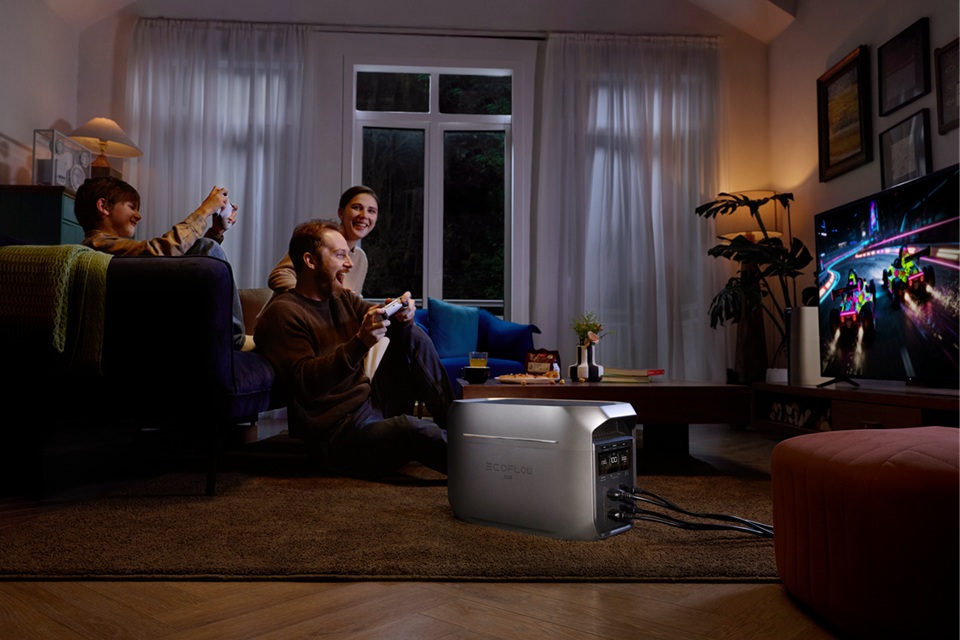
A smaller portable power station may be enough for basic electronics and communication. This option makes sense when portability and lower power requirements are more important than running large appliances.
For example, the EcoFlow RIVER 3 UPS is listed with a 245 Wh battery capacity and 300 W rated AC output. Confirm the current product page and manufacturer's specifications before purchase. Whether it can operate a particular device, and for how long, depends on the device's power requirements, conversion losses, and operating conditions.
For More Devices and Longer Runtime
A higher-capacity power station may be more appropriate if you need to operate several devices or selected household appliances.
Consider options such as the EcoFlow RIVER 3 Plus, EcoFlow DELTA 3, or EcoFlow DELTA 3 Max Plus. Their battery capacities and output ratings differ by model and configuration. Compare the specifications for the exact model with the power requirements of the devices you want to run before choosing a unit.
For Longer Backup and Solar Integration
If your goal extends beyond emergency backup, a home battery system can combine solar generation, battery storage, and grid electricity.
A system such as EcoFlow PowerOcean is designed for residential energy storage and solar integration. It may be more relevant for homeowners considering longer-term energy management rather than simply keeping a few devices running during a short brownout.
Choose Capacity for Your Actual Needs
A larger battery is not always the better purchase. Choose enough capacity and output for the devices you need to run and the length of time you need them powered, without paying for capabilities you will not use.
Product prices, availability, and specifications may change. Confirm the current listing and exact model before purchasing.
Frequently Asked Questions
Can El Niño cause brownouts in the Philippines?
Not directly. Hotter weather can increase electricity demand, while limited power supply or generator outages may increase the risk of interruptions.
Which areas are most likely to experience brownouts during El Niño?
Specific locations cannot be predicted reliably. Some areas have experienced power-supply constraints or grid alerts at particular times. These past events do not establish that future brownouts will occur in those locations.
Can a power station be used during a brownout?
Yes. A compatible portable power station can power devices such as phones, routers, lights, and fans, depending on its capacity and output.
Can solar panels charge a power station during a brownout?
Yes. Compatible solar panels can recharge a power station when sunlight is sufficient and the system meets its solar-input requirements.
How do I choose the right backup power solution?
Identify the devices you need to power, check their wattage, and estimate how long they must run. Choose a power station with sufficient output and battery capacity for your needs.
Conclusion
El Niño can influence rainfall conditions in the Philippines and increase the likelihood of below-normal rainfall in some areas. In its 23 September 2026 climate advisory and its October 2026 El Niño advisory, PAGASA said the ongoing event was expected to intensify and could persist through the first half of 2027. This remains a forecast, not a guarantee of local weather or electricity interruptions. Forecasts can change, so readers should consult the latest official update.
At the same time, power-grid events in 2026 showed that parts of the country can experience periods of tight electricity supply and power interruptions. That does not mean a nationwide brownout is inevitable or that a particular city will definitely lose electricity during El Niño.
It does mean that preparing for possible power interruptions is worth considering, especially during periods of extreme heat or tight electricity supply.
Start with the basics: identify the devices that matter most, check how much electricity they require, and decide how long you need them to operate. Then choose a backup solution that matches those needs.
For some households, that may mean a small portable power station for communication and work. For others, a higher-capacity system may be appropriate for selected household appliances. Homeowners looking at long-term energy resilience may also consider solar generation combined with battery storage.
The best backup power system is not necessarily the biggest one. It is the one that keeps the things that matter most running when you need them.
Share: