

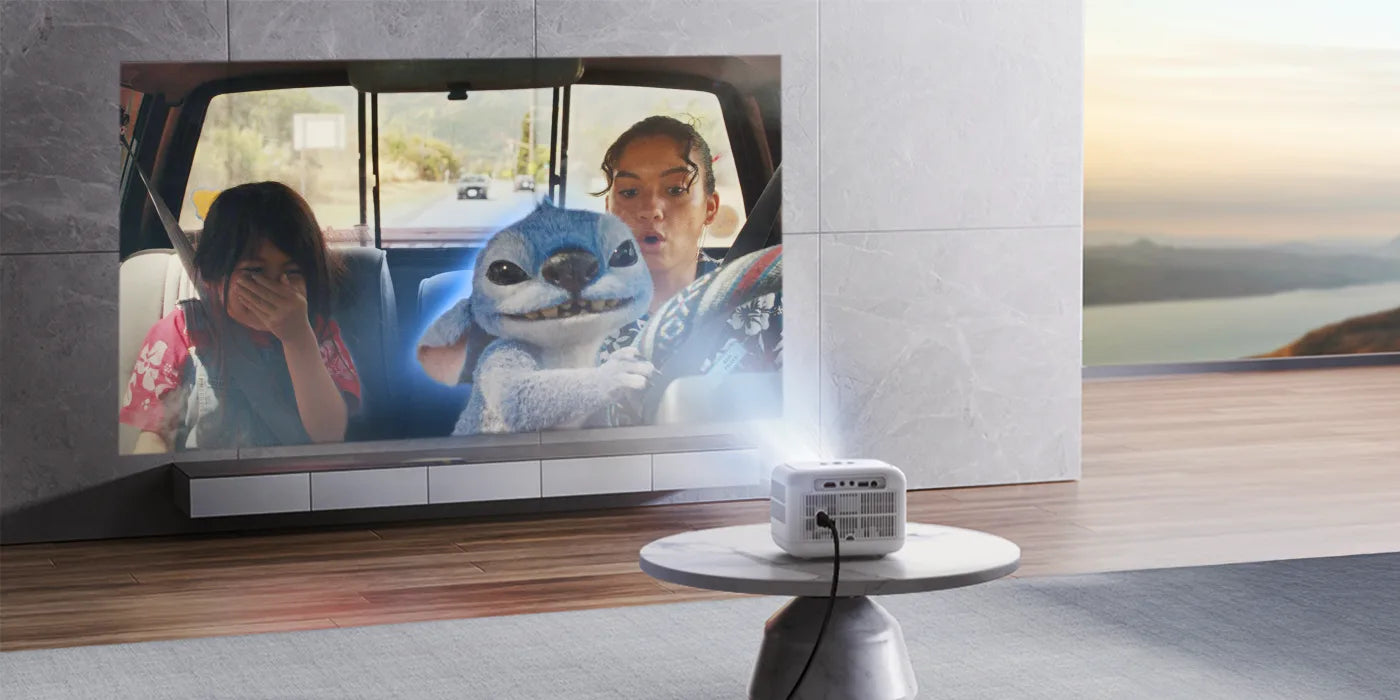

Buying a projector can feel overwhelming, especially when you're faced with technical specifications like lumens, resolution, and brightness. While these terms often appear on product pages, understanding what they actually mean can make a significant difference in choosing the right projector for your needs.
Whether you're planning to build a home theater, host outdoor movie nights, or deliver professional presentations, knowing how these three specifications work together will help you get the best viewing experience. In this guide, we'll explain lumens, resolution, and brightness in simple terms and show how they influence the performance of Yaber projectors.
Why These Specifications Matter
A projector's image quality isn't determined by a single specification. Instead, it's the combination of brightness, image sharpness, and the environment where you'll be using the projector.
By understanding these factors, you can:
-
Choose the right Yaber projector for your room.
-
Avoid paying for features you may not need.
-
Enjoy clearer, brighter, and more immersive images.
-
Make a more confident buying decision.
What Are Lumens?
Lumens measure how much light a projector produces. Simply put, the higher the lumen rating, the brighter the projected image.
Brightness becomes especially important if you plan to use your projector during the day or in rooms where controlling ambient light isn't always possible.
When Higher Lumens Are Beneficial
Higher lumen ratings are ideal for:
-
Living rooms with large windows
-
Offices and classrooms
-
Outdoor movie nights
-
Conference rooms
Lower lumen ratings can still provide excellent image quality in dark environments, such as dedicated home theater rooms.
Choosing the Right Brightness
As a general guideline:
| Environment | Recommended Brightness |
|---|---|
| Dark home theater | Lower brightness is usually sufficient |
| Living room | Medium brightness |
| Bright room or office | High brightness |
| Outdoor evening use | High brightness |
Selecting the appropriate brightness ensures that images remain vibrant and easy to see regardless of your surroundings.
Understanding Resolution
Resolution refers to the number of pixels used to create an image. More pixels mean sharper details, better clarity, and improved overall picture quality.
Common projector resolutions include:
-
HD (720p)
-
Full HD (1080p)
-
4K Ultra HD
For most users, Full HD offers an excellent balance between image quality and affordability, while 4K provides exceptional detail for larger screens and premium home theater setups.
Why Resolution Matters
Higher resolution is particularly valuable when:
-
Watching movies
-
Streaming TV shows
-
Gaming
-
Viewing sports
-
Displaying presentations with detailed text
-
Editing photos or videos
Sharper resolution reduces pixelation and produces a more immersive viewing experience.
Is Brightness Different from Lumens?
Many people use the terms interchangeably, but they aren't exactly the same.
Lumens are the measurement of the projector's light output, while perceived brightness depends on several additional factors, including:
-
Room lighting
-
Screen size
-
Screen material
-
Projection distance
-
Image settings
For example, a projector with high lumen output may still appear dim if it's projecting onto an oversized screen in a brightly lit room.
Achieving optimal brightness requires balancing both the projector's specifications and your viewing environment.
Finding the Right Balance
The best projector isn't necessarily the one with the highest numbers. Instead, it's the one that best matches how and where you'll use it.
Consider these scenarios:
Home Theater Enthusiasts
Look for:
-
Full HD or 4K resolution
-
Good brightness for dark rooms
-
Rich color reproduction
-
Quiet operation
Gamers
Prioritize:
-
Sharp resolution
-
Smooth image performance
-
Low input lag (if available)
-
Adequate brightness for your gaming space
Business Professionals
Choose a projector with:
-
High brightness
-
Clear text rendering
-
Reliable connectivity
-
Easy portability
Outdoor Entertainment
Focus on:
-
Higher brightness
-
Portable design
-
Wireless connectivity
-
Built-in speakers or audio support
Why Yaber Projectors Are Popular
Yaber projectors have become a popular choice for users seeking a balance between performance, affordability, and ease of use.
Many models offer features such as:
-
Full HD image quality with support for higher-resolution content
-
Bright displays designed for versatile environments
-
Smart connectivity options
-
Compact and portable designs
-
Auto-focus and automatic keystone correction on select models
-
Compatibility with popular streaming devices and gaming consoles
These features make Yaber projectors suitable for everything from home entertainment to business presentations.
Tips for Getting the Best Picture Quality
Even the best projector performs better when properly set up.
To maximize image quality:
-
Minimize ambient light whenever possible.
-
Use a quality projector screen instead of a plain wall.
-
Position the projector at the recommended distance.
-
Keep the lens clean.
-
Adjust focus and keystone correction carefully.
-
Select the appropriate picture mode for movies, gaming, or presentations.
Small adjustments can noticeably improve your viewing experience.
Final Thoughts
Understanding lumens, resolution, and brightness is essential when shopping for a projector. Rather than focusing on a single specification, consider how these factors work together to produce the best image for your viewing environment.
Whether you're creating a cinematic home theater, upgrading your gaming setup, or looking for a versatile projector for work and entertainment, understanding these core specifications will help you make a more informed decision.
By choosing a Yaber projector that aligns with your space and viewing habits, you'll enjoy sharper visuals, brighter images, and a more immersive entertainment experience for years to come.


Share: